

Tesla software update 2026.38.5.11 was listed on October 24, 2026, adding another build to the 2026.38.5 family. Its official notes are now available, replacing the earlier provisional assessment with fifteen documented entries. Their descriptions match the feature set shown in 2026.38.5.10, including HW4 FSD (Supervised) v14.3.13 and v14.3 Lite for the specified HW3 vehicles. The individual requirements remain essential when comparing the two builds.
The HW4 package describes reinforcement-learning and vision improvements addressing difficult visibility, traffic signs, geometry, parking, unusual obstacles, animals, and challenging intersections. Compiler and runtime changes carry a stated 20% reaction-time improvement. Driver monitoring, intervention feedback, and intervention-free distance tracking are also covered. Broader reasoning and pothole avoidance remain upcoming work. The listed HW4 vehicles include newer Model S and Model X variants, Model 3, Model Y, and Cybertruck.
For HW3 Model S, Model 3, Model X, and Model Y, v14.3 Lite describes learning distilled from HW4 V14, improved responsiveness, fewer unnecessary slowdowns, smoother steering, parking, and reversing. Separate entries for starting from Park, remembered Arrival Options, and visualization controls specifically list HW3 Model 3 and Model Y. Speed Profiles includes the conservative SLOTH option. Both FSD packages require an attentive driver ready to intervene.
Halloween Mode brings themed visualizations, visitor-triggered effects, a light show, and Photobooth functions to the listed AMD vehicles. Visual Updates separately improves parked graphics on AMD-equipped HW3 Model 3 and Model Y. Other entries cover pilot Supercharger site maps for Intel vehicles, phone-based destination-energy selection requiring Tesla App 4.58.0 or later, and low-beam leveling on specific Model 3 and Cybertruck vehicles.
Emergency Drive Away is strictly for emergencies: leaving with a Supercharger cable attached damages the vehicle and charger, may leave repair costs with the user, and shares short camera recordings with Tesla. Automatic Collision Evasion can engage supervised driving during manual driving under the described attention or unintended-disengagement conditions. These functions do not make the vehicle autonomous.
Security improvements complete the package. The separate 2026.38.5.5 article covers the Down Under edition and provides another comparison within the family. Below are this build's confirmed release notes and illustrations, with the vehicle, hardware, and availability conditions retained for every entry.
Halloween Mode
New Feature
for Model S (New), 3, X (New), Y and CT
AMD / Available Worldwide
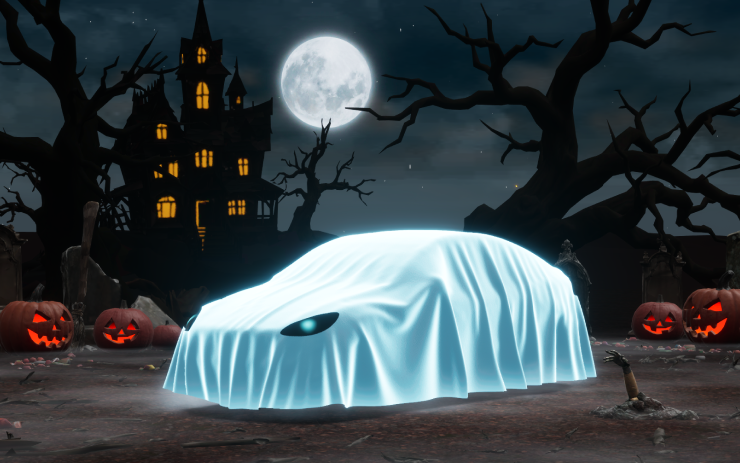
Add a ghost costume to the vehicle visualization, trigger spooky sounds and flickering lights as visitors approach, schedule a themed light show, and use Halloween Photobooth effects. The notes describe year-round access for the listed AMD-equipped vehicles.
Visual Updates
New Feature
for Model 3 and Y
AMD / HW3 / Available Worldwide
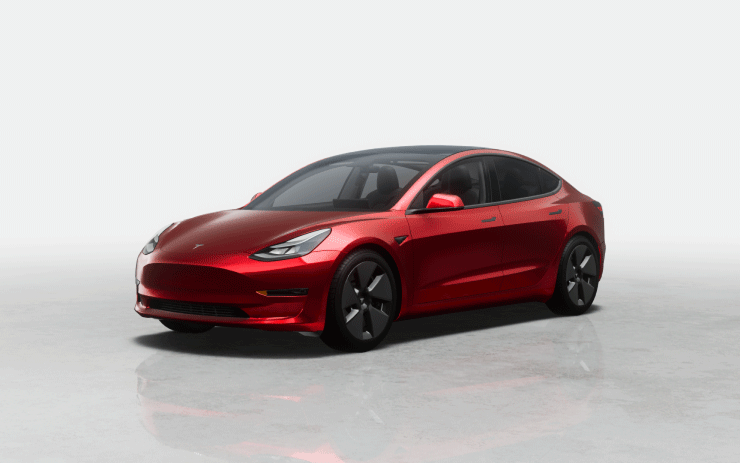
AMD-equipped HW3 Model 3 and Model Y vehicles receive more detailed vehicle imagery on the center display and a richer scene while parked.
Emergency Drive Away
New Feature
for Model S (New), 3, X (New), Y and CT
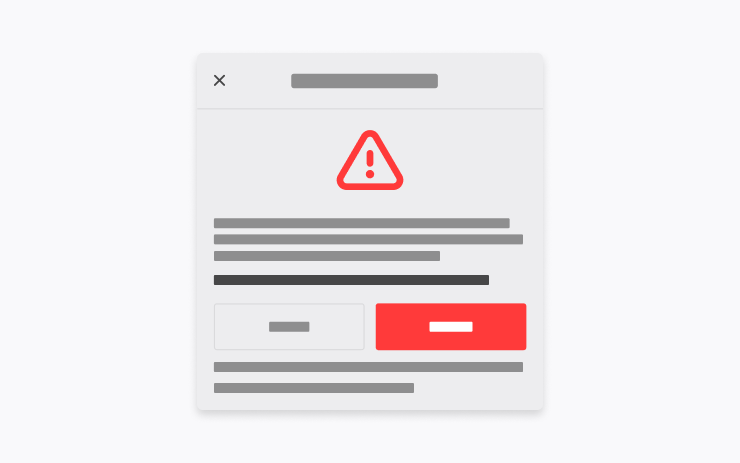
This emergency-only function permits shifting into Drive with a Supercharger cable still attached. Driving away in that state will damage the vehicle and Supercharger, and repair costs may fall to the user. Activation also sends Tesla short recordings from the vehicle cameras.
Supercharger Site Maps
New Feature
for Model S (Legacy), 3, X (Legacy) and Y
Intel / Available Worldwide
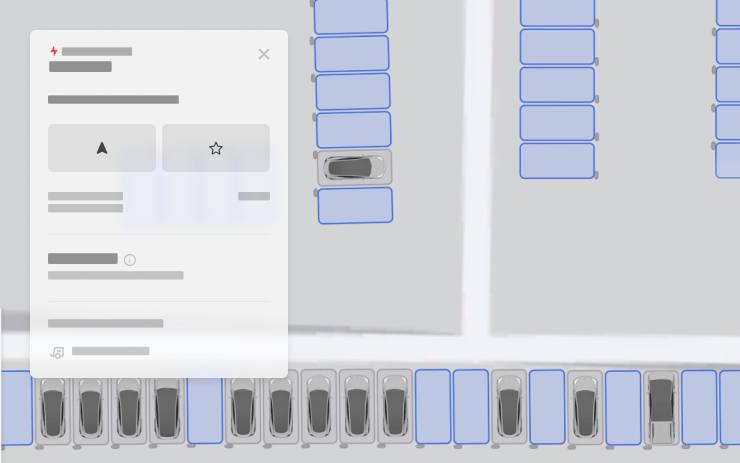
Tap View Site Map to inspect the layout of a supported Supercharger. At pilot sites, navigation shows the layout and live arrival information identifying available, occupied, or out-of-service stalls. This entry lists Intel-equipped legacy Model S and Model X, Model 3, and Model Y.
Set Arrival Energy
New Feature
for Model S, 3, X, Y and CT
Tesla App 4.58.0+ / Available Worldwide
Use the location tab in Tesla App version 4.58.0 or later to enter a destination and select Set Arrival Energy. This lets you specify your desired remaining energy at the end of the trip from your phone.
Dynamic Headlight Leveling
New Feature
for Model 3 and CT
Specific Vehicles / Available Worldwide

On eligible Model 3 and Cybertruck vehicles, the low beams adjust their aim automatically in response to driving conditions and surrounding traffic. The purpose is to improve visibility while limiting glare for other road users; availability is restricted to specific vehicles.
Automatic Collision Evasion
New Feature
for Model S (New), 3, X (New), Y and CT
HW4
For the listed HW4 vehicles, this function can engage FSD (Supervised) during manual driving when it detects insufficient attention or a possible unintended disengagement of FSD. It attempts to maintain safety and continue driving. The Owner's Manual provides further operating details.
FSD (Supervised) v14.3.13
New Feature
for Model S (New), 3, X (New), Y and CT
HW4
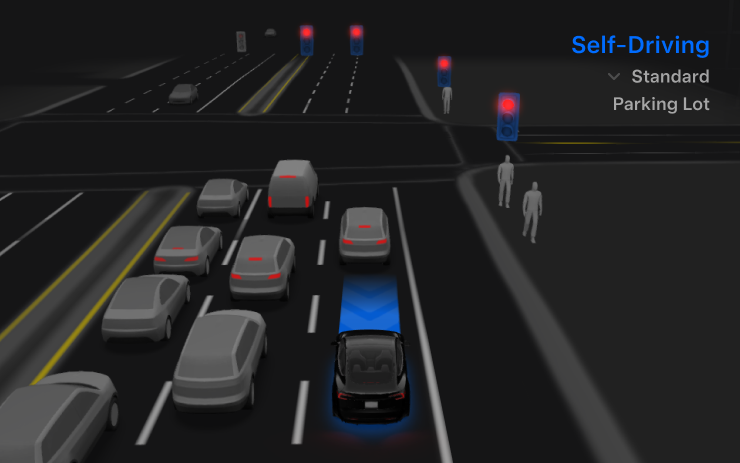
The HW4 v14.3.13 notes describe improvements to reinforcement-learning training and the vision encoder, targeting rare situations, reduced visibility, three-dimensional geometry, and traffic signs. A rebuilt AI compiler and runtime using MLIR is associated with a stated 20% improvement in reaction time and faster model iteration.
Driving changes address unnecessary lane bias and close following, improve the decisiveness of parking selection and maneuvers, and show the predicted parking location with a P map icon. Responses to emergency vehicles, school buses, right-of-way violations, and unusual vehicles are also covered.
Additional training targets small animals, compound traffic signals, curved approaches, yellow-light stopping, and objects extending into the road. Temporary system degradation can be handled by maintaining control and recovering automatically. Driver monitoring gains refinements to gaze tracking, eyewear handling, and performance under changing lighting.
The description also covers a unified model for Actually Smart Summon, FSD, and Robotaxi. After an intervention, drivers can choose a reason on the main screen. The Self-Driving App shows intervention-free distance and the longest streak, and destination parking choices appear on the map.
Broader reasoning beyond destination handling and pothole avoidance remain listed as upcoming improvements, rather than currently available functions.
Full Self-Driving (Supervised)
New Feature
for Model S (New), 3, X (New), Y and CT
HW4
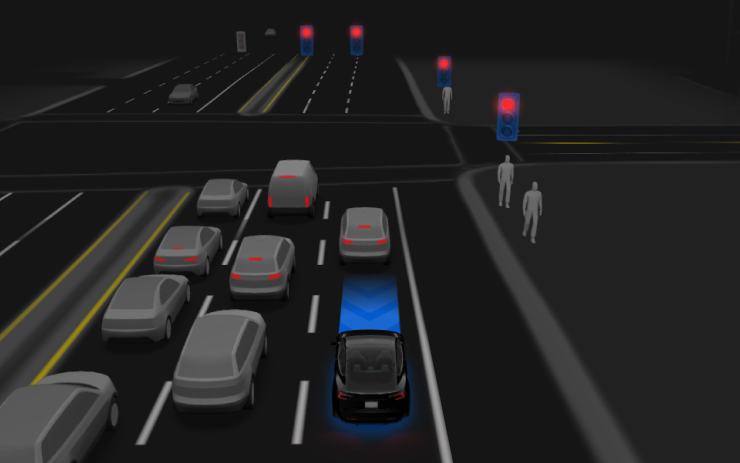
With continuous driver supervision, FSD can leave a parked position, follow navigation through lane changes and junctions, navigate around vehicles and objects, turn, and park at the destination. It does not make the vehicle autonomous. Every authorized driver must remain attentive and ready to take over.
Use Start Self-Driving on the display or press the right scroll-wheel button once to activate it. The feature can be disabled in Autopilot Settings.
FSD (Supervised) v14.3 Lite
New Feature
for Model S, 3, X and Y
HW3
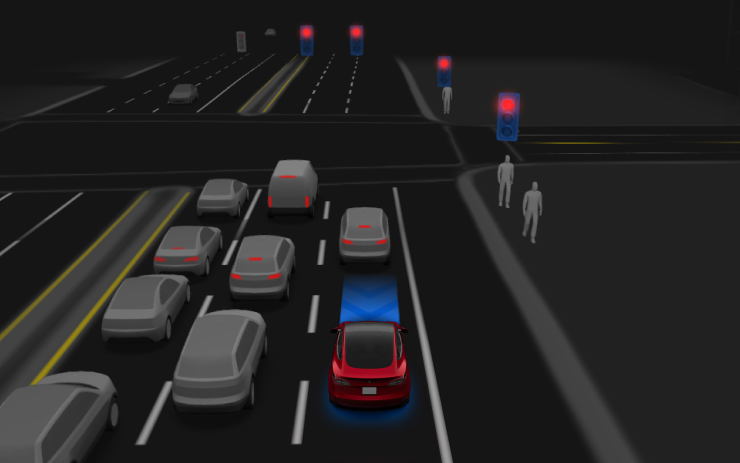
For the listed HW3 Model S, Model 3, Model X, and Model Y, v14.3 Lite uses knowledge distilled from HW4 V14, allowing the older hardware's system to learn from the newer system's training and models. The notes describe improved proactive and reactive responses in navigation, merges, forks, pedestrian interactions, traffic signals, and cut-in situations.
Comfort improvements target false slowdowns, steering smoothness, and consistent lane centering. Parking, unparking, and reversing are included. Arrival preferences can direct the vehicle toward a parking lot, street, or driveway, and Speed Profiles remain available throughout supervised driving.
Start Self-Driving from Park
New Feature
for Model 3 and Y
HW3
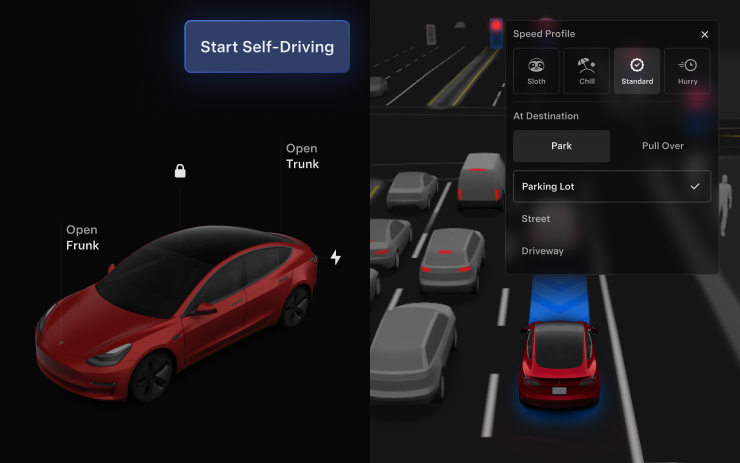
The start button appears when the driver checks are satisfied, including being seated, wearing the seat belt, and keeping the cabin camera unobstructed. With Brake Confirm enabled, the driver must press and release the brake before activation. With it disabled, the button can allow the system to apply the brakes and engage; a pedal confirmation is still required if driver detection checks are not met.
Brake Confirm can be configured under Self-Driving > Brake Confirm. This function does not provide autonomous operation: an attentive, licensed driver authorized to operate the vehicle must be ready to take over. Access to the driver's seat should be limited accordingly whenever the vehicle is outside Theater or Arcade modes.
Arrival Options
New Feature
for Model 3 and Y
HW3
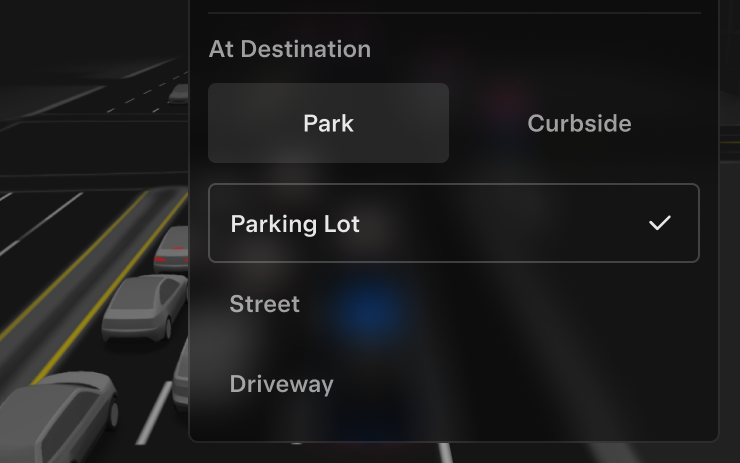
Choose a destination arrival preference such as Parking Lot, Street, Driveway, or Pull Over for a drop-off. The system saves arrival preferences and preferred parking positions for each destination.
Speed Profiles
New Feature
for Model S, 3, X and Y
HW3
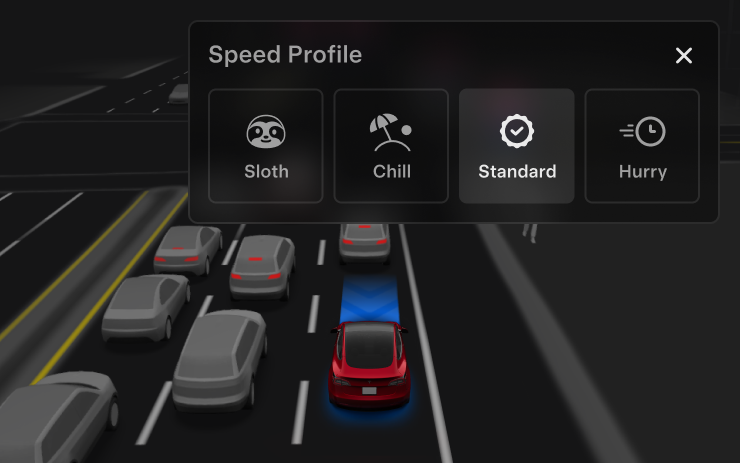
FSD chooses speed using the selected profile, speed limits, and surrounding traffic. SLOTH adds slower driving and more conservative lane choices than CHILL, while more assertive profiles allow a higher maximum speed. Moving the right scroll wheel up or down changes the profile instead of a precise speed-offset setting.
UI Improvements
New Feature
for Model 3 and Y
HW3
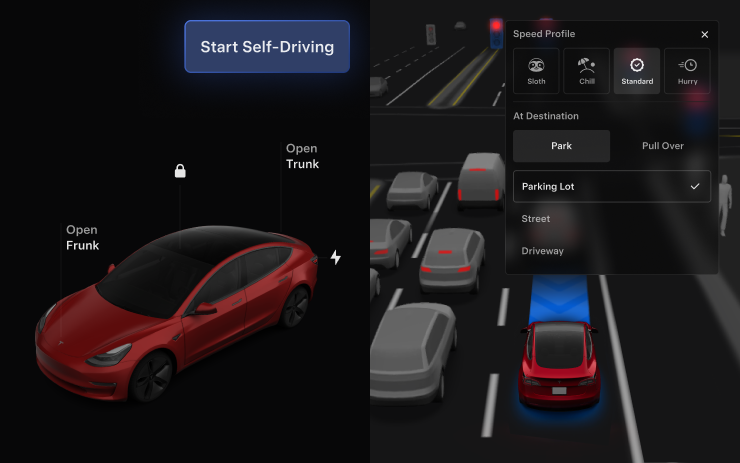
Change Speed Profiles and Arrival Options directly within the Self-Driving visualization on the center display, keeping these controls close to the driving view.
Security Improvements
New Feature
for Model S, 3, X, Y and CT
Available Worldwide

The update includes security fixes and improvements. The notes do not specify individual vulnerabilities or give a detailed list of the corrections.
