

Tesla software update 2026.2.9.3 was listed on March 22, 2026, adding another build to the 2026.2.9 family. This update covers vehicle convenience, entertainment, supervised driving and software maintenance. Its 12 documented entries explain changes to the ownership experience, from the features used inside the cabin to the software operating behind them. Availability depends on the vehicle and the requirements of each entry.
FSD (Supervised) v14.2.2.5 is listed for Model S, Model 3, Model X, Model Y and Cybertruck with HW4. Availability follows the requirements of each entry; the update number alone does not identify which driving branch a vehicle receives.
Active Road Noise Reduction uses seat microphones and speakers to reduce low-frequency noise in selected Cybertrucks. Autopilot Naming Update changes navigation and computer labels while preserving feature behavior. Unlatching Charge Cable uses a three-second hold of the rear-left handle on Model 3 and Model Y. Child Left Alone Detection alerts through exterior lights, sound and the app on newer Model Y.
Grok with Navigation Commands (Beta) edits destinations in Assistant mode on AMD Ryzen vehicles with connectivity.
FSD (Supervised) v14.2.2.5 refines arrival choices, detours, gates, debris handling and recovery from system limitations. Arrival Options saves parking or drop-off preferences separately for each destination. Speed Profiles uses driver preferences, road limits and traffic to select driving pace. MAD MAX adds a more assertive option than HURRY. UI Improvements puts driving preferences directly in the center display visualization. Driving statistics and touchscreen activation are also documented. Arrival preferences can be adjusted there as well.
Brake Confirm makes the activation pedal-confirmation step configurable and defaults it off in this entry. Full Self-Driving (Supervised) assists route following and maneuvers while the driver supervises.
Minor Fixes covers smaller software corrections and refinements.
Driving assistance continues to require continuous driver supervision. The documented capabilities can include features carried forward within the same software branch.
Below, you can find the individual 2026.2.9.3 Release Notes, with images and the vehicle and hardware requirements for each documented feature.
Active Road Noise Reduction
New Feature
for Model CT
Select Vehicles

Seat microphones and speakers counter low-frequency road noise in supported Cybertrucks.
Autopilot Naming Update
New Feature
for Model S (New), 3, X (New), Y and CT
HW4
Renames navigation and computer labels without changing behavior.
Unlatching Charge Cable
New Feature
for Model 3 and Y

Hold the rear-left handle three seconds with the vehicle unlocked or a recognized key nearby.
Grok with Navigation Commands (Beta)
New Feature
for Model S (New), 3, X (New), Y and CT
AMD Ryzen

Assistant mode edits destinations; requires Premium Connectivity or Wi-Fi. Other controls unsupported.
Child Left Alone Detection
New Feature
for Model Y (New)

Alerts through lights, sound and app notifications; enabled by default, with local processing.
FSD (Supervised) v14.2.2.5
New Feature
for Model S, 3, X, Y and CT
HW4
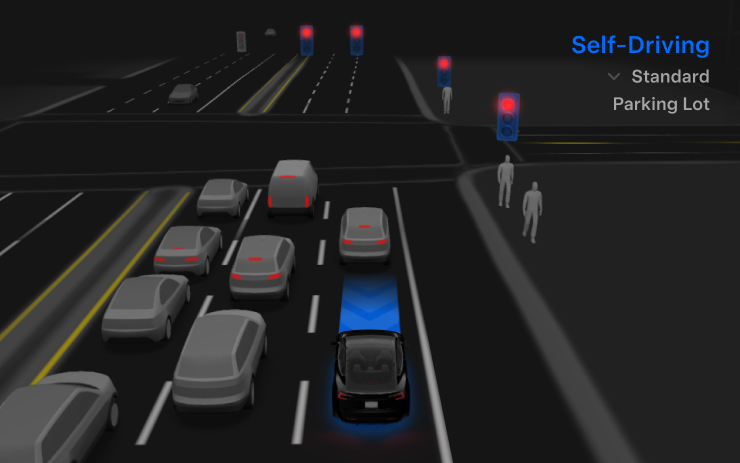
Refines perception, detour handling and parking choices, with improvements for gates, debris and traffic interactions.
Arrival Options
New Feature
for Model S, 3, X, Y and CT
HW4
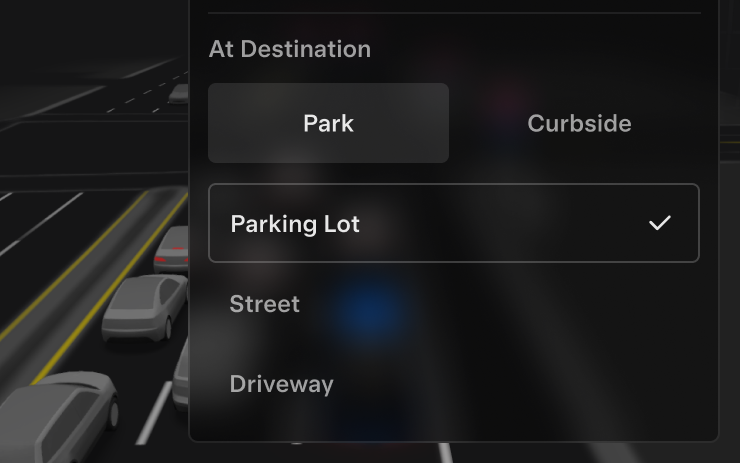
Save parking preferences; navigation pins follow the selection.
Speed Profiles
New Feature
for Model S, 3, X, Y and CT
HW4
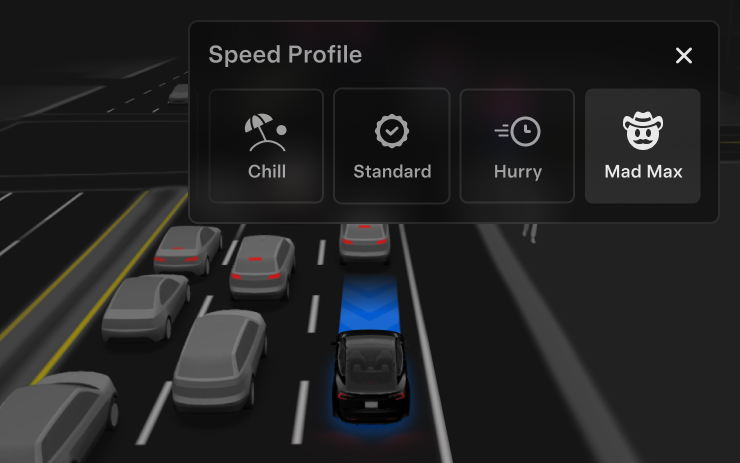
Scroll-wheel profile selection ranges from conservative SLOTH to assertive MAD MAX.
UI Improvements
New Feature
for Model S, 3, X, Y and CT
HW4
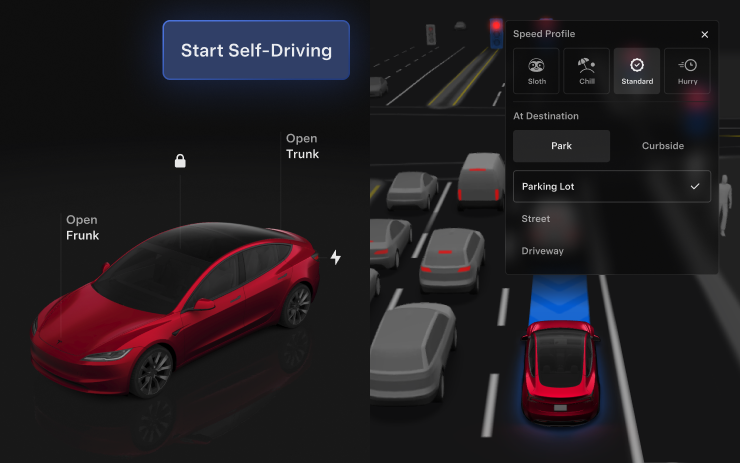
View statistics, activate FSD and adjust driving preferences onscreen.
Brake Confirm
New Feature
for Model S, 3, X, Y and CT
HW4
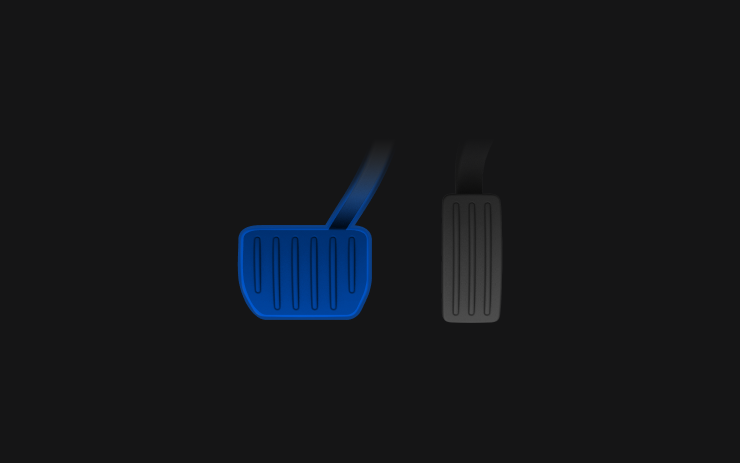
Optional brake-pedal confirmation defaults off.
Full Self-Driving (Supervised)
New Feature
for Model S, 3, X, Y and CT
HW4
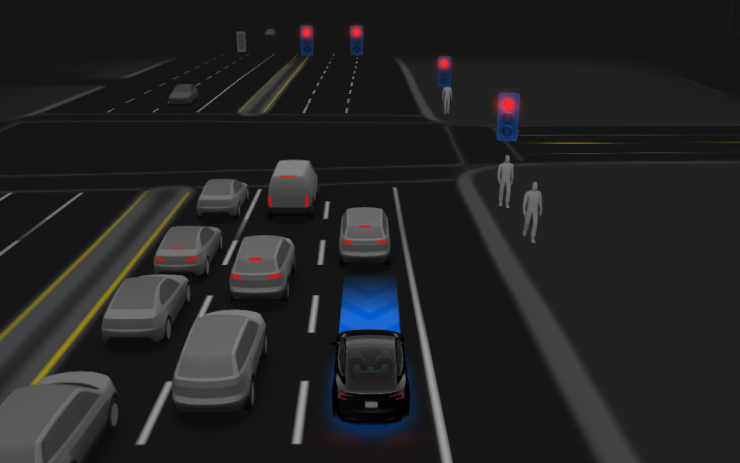
Activate through the touchscreen or right scroll wheel. Assistance includes navigation and parking; the driver must remain attentive and ready to intervene.
Minor Fixes
New Feature
for Model S, 3, X and Y
Includes bug fixes and refinements.
