

Tesla software update 2026.20.6.10 was listed on July 20, 2026, adding another build to the 2026.20.6 family. This update covers supervised driving and trip planning. Its 10 documented entries explain changes to the ownership experience, from the features used inside the cabin to the software operating behind them. Availability depends on the vehicle and the requirements of each entry.
FSD (Supervised) v14 Lite is listed for Model 3 and Model Y with HW3. Availability follows the requirements of each entry; the update number alone does not identify which driving branch a vehicle receives.
FSD (Supervised) v14 Lite applies HW4-derived learning to HW3, refining driving comfort and adding parking, unparking and reversing. Start Self-Driving from Park adds touchscreen activation when the vehicle detects a seated, belted driver and an unobstructed cabin camera. The start button becomes available after these checks. Brake confirmation remains part of the process as described for this release, linking the departure command to the driver rather than an unattended vehicle. Brake Confirm settings determine the pedal step, with additional confirmation when driver detection requires it. Arrival Options saves parking or drop-off preferences separately for each destination. Speed Profiles uses driver preferences, road limits and traffic to select driving pace. SLOTH uses lower speeds and more conservative lane choices than CHILL.
UI Improvements puts driving preferences directly in the center display visualization. Arrival preferences can be adjusted there as well. Full Self-Driving (Supervised) assists route following and maneuvers while the driver supervises.
Navigation Lane Guidance needs Online Routing and maps 2026.20 or later. Send Destination to Car shares locations through app 4.57.0 or supported Korean mapping apps. Weather Maps displays rain, snow and the previous hour of conditions with Premium Connectivity. Points of Interest makes map landmarks selectable for exploration or navigation.
Driving assistance continues to require continuous driver supervision. The documented capabilities can include features carried forward within the same software branch.
Below, you can find the individual 2026.20.6.10 Release Notes, with images and the vehicle and hardware requirements for each documented feature.
FSD (Supervised) v14 Lite
New Feature
for Model 3 and Y
HW3
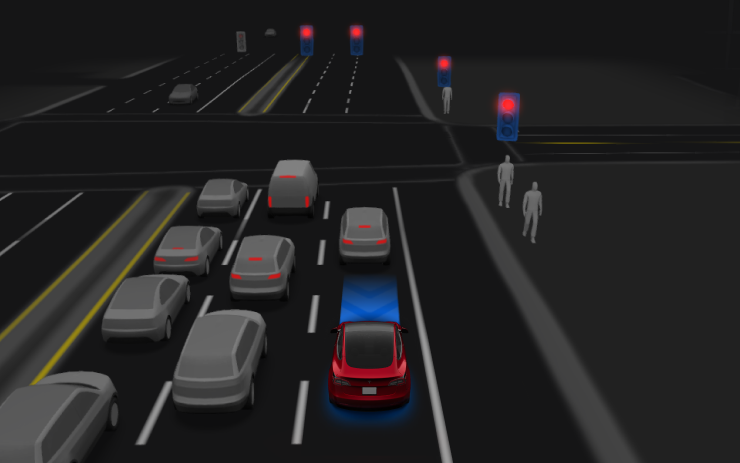
HW4-derived learning improves HW3 driving comfort and responsiveness, adding parking, reversing and destination preferences.
Start Self-Driving from Park
New Feature
for Model 3 and Y
HW3
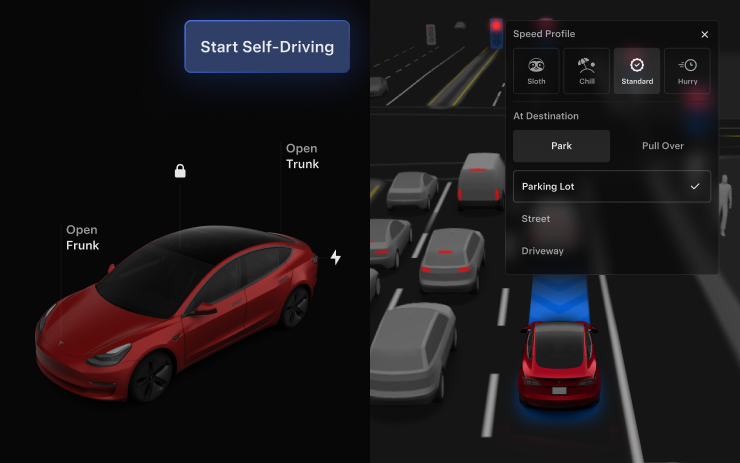
Checks driver presence, seatbelt and cabin camera visibility. Brake confirmation may be required.
Arrival Options
New Feature
for Model 3 and Y
HW3
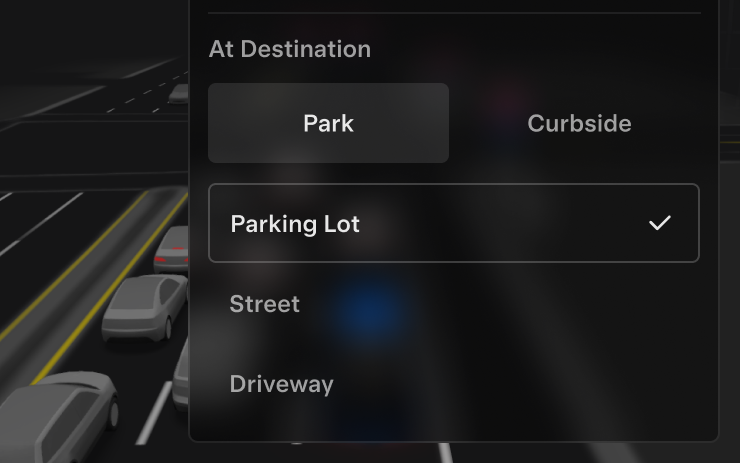
Store destination-specific parking or drop-off preferences.
Speed Profiles
New Feature
for Model 3 and Y
HW3
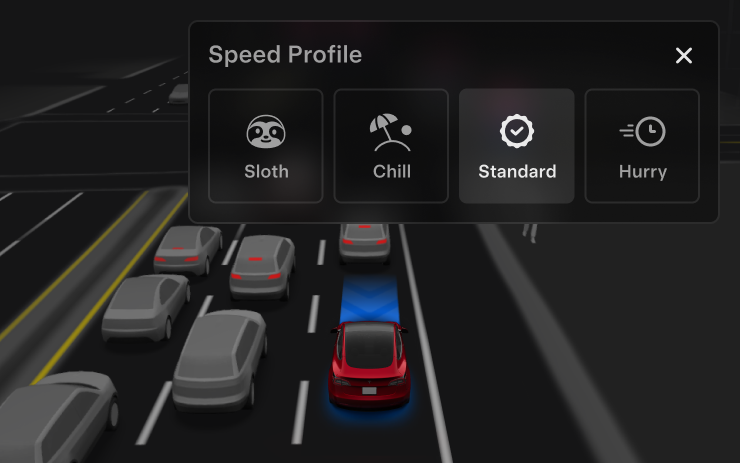
Select the driving profile using the right scroll wheel; SLOTH favors conservative driving.
UI Improvements
New Feature
for Model 3 and Y
HW3
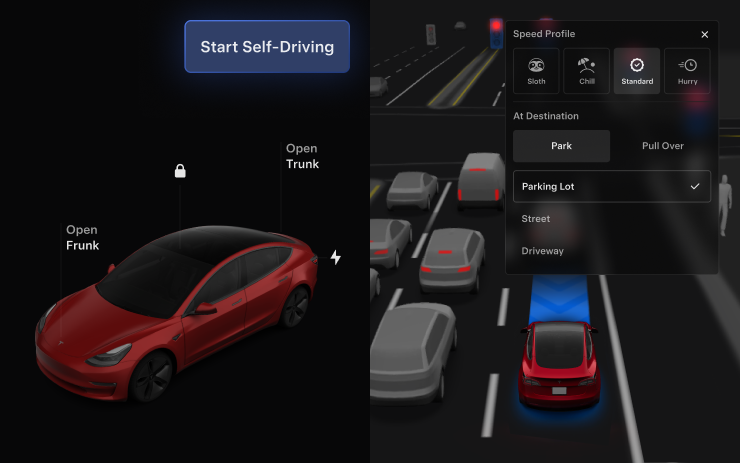
Adjust driving profiles and arrival preferences from the driving visualization.
Full Self-Driving (Supervised)
New Feature
for Model 3 and Y
HW3
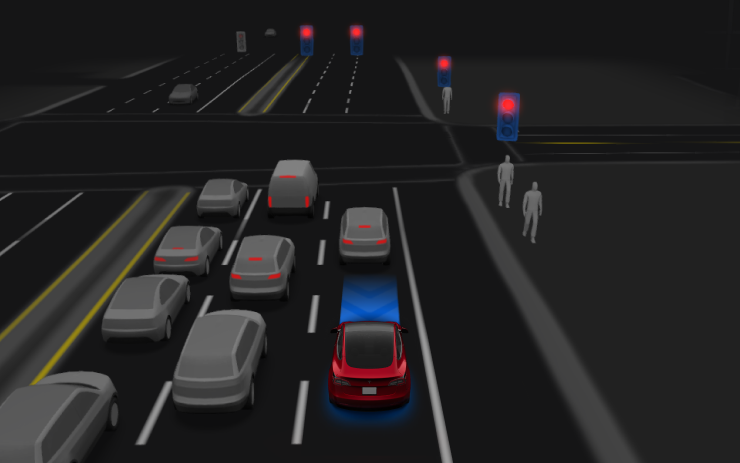
Activate with the screen button or right scroll wheel. The driver must supervise continuously.
Navigation Lane Guidance
New Feature
for Model 3 and Y
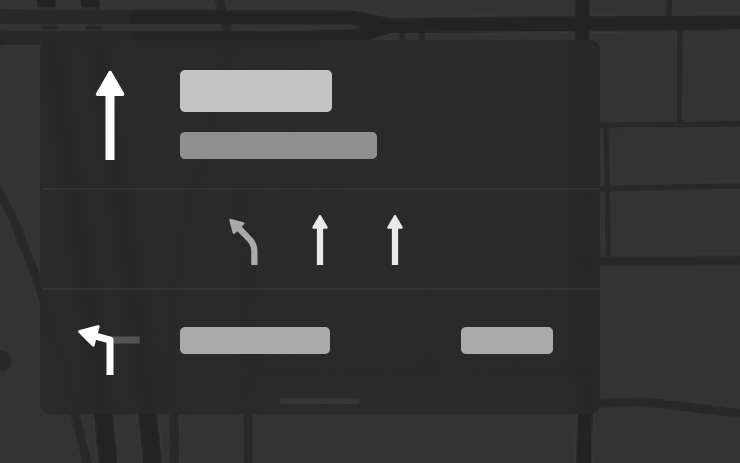
Lane directions require Online Routing and maps version 2026.20 or later.
Send Destination to Car
New Feature
for Model 3 and Y
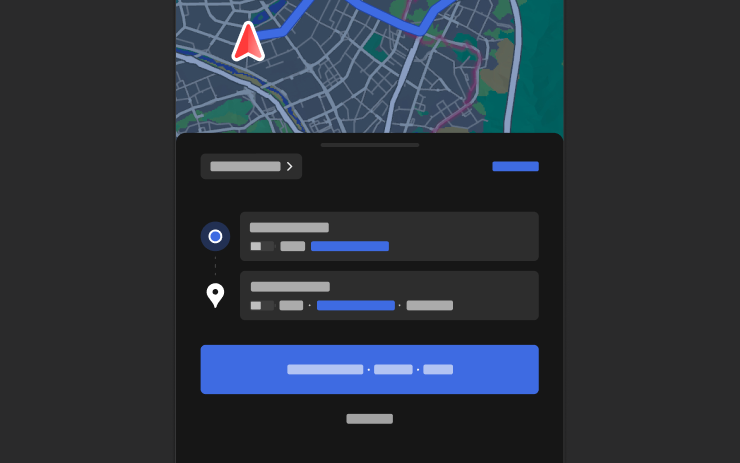
Share destinations using mobile app 4.57.0+ or supported Korean mapping apps.
Weather Maps
New Feature
for Model 3 and Y
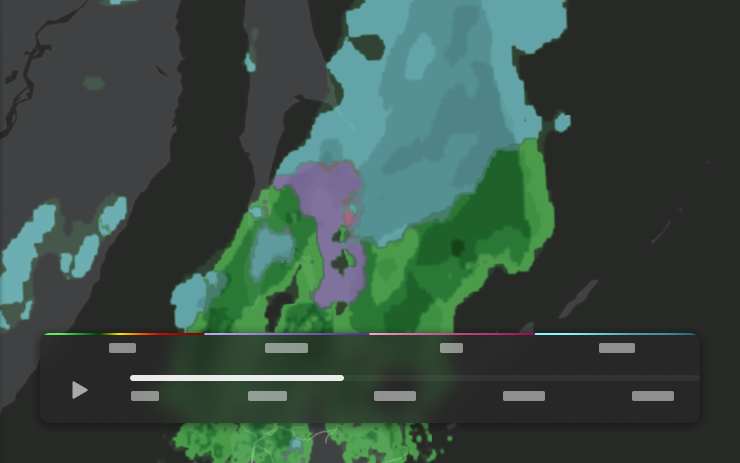
View precipitation and the preceding hour of weather with Premium Connectivity.
Points of Interest
New Feature
for Model 3 and Y
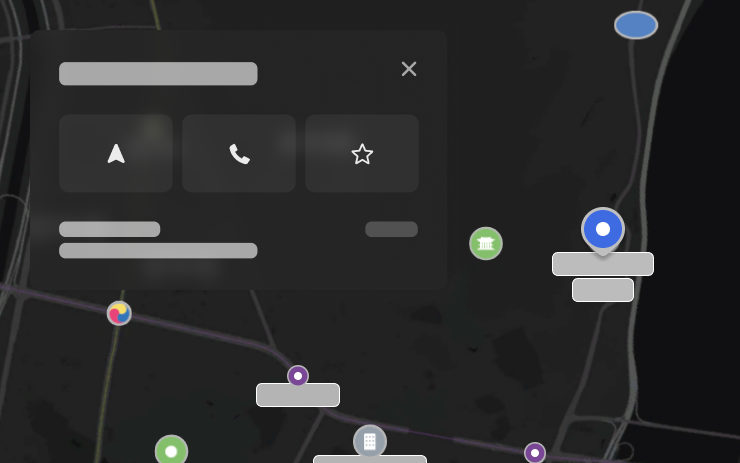
Tap map landmarks to explore locations or start navigation.
