

Tesla software update 2026.44.1 was listed on November 17, 2026, as part of the 2026.44 software family. Its release notes describe two sets of changes. Charger Network View and Security Improvements appear in the entries for the refreshed Model X with AI3 and Model 3 with AI4, with the United States and Germany listed. The supervised driving notes cover the refreshed Model X with AI3 in North America.
The charger map now groups pins at ordinary zoom levels, so drivers can get a clearer picture of network coverage when viewing a larger area. Think of it as a change to how the map presents nearby and distant chargers as you adjust the zoom. The earlier 2026.39.6 notes described another part of trip planning, setting a target charge at the destination from Tesla App 4.58.0 or later. Charger Network View addresses what drivers see while exploring charging coverage on the map.
The FSD (Supervised) v14.3 Lite notes describe how the AI3 driving model draws on training from the newer AI4 system. The changes cover reactions at merges, around pedestrians and near traffic signals, along with steadier lane centering and smoother steering. The earlier 2026.38.5.13 also documented v14.3 Lite for AI3 alongside a separate AI4 package. The driving entries for this build identify a refreshed Model X with AI3, and drivers need to supervise throughout the trip.
On that configuration, drivers can choose and save how they want the vehicle to stop at a destination. They can also change the Speed Profile and Arrival Options from the driving visualization. SLOTH favors lower speeds and more conservative lane choices, while Start Self-Driving from Park depends on checks such as a buckled driver and a clear cabin camera. The Brake Confirm setting can require a pedal press before the system engages.
The security entry lists fixes and improvements in general terms. The illustrated notes below show where the charger map and security entries apply and give the separate eligibility and operating details for the supervised driving features.
Arrival Options
New Feature
for Model X (Refresh) (AI3)
North America
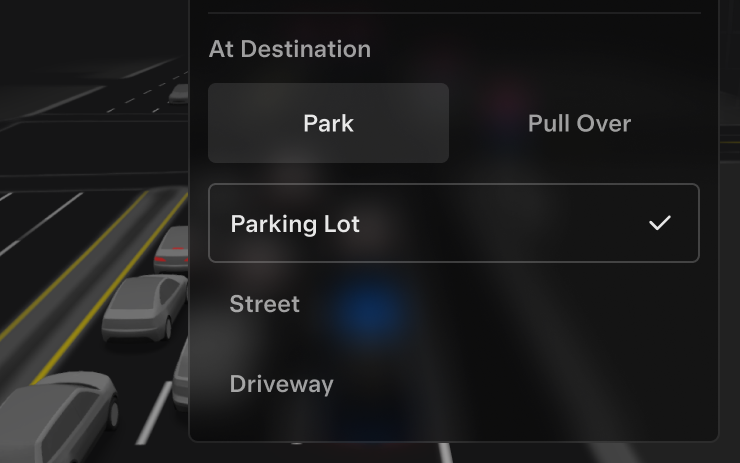
Drivers can choose a parking lot, a street stop, a driveway, or a pull-over drop-off. The car remembers how the driver prefers to arrive and where to park for each destination.
Charger Network View
New Feature
for Model X (Refresh) (AI3) and Model 3 (AI4)
United States / Germany
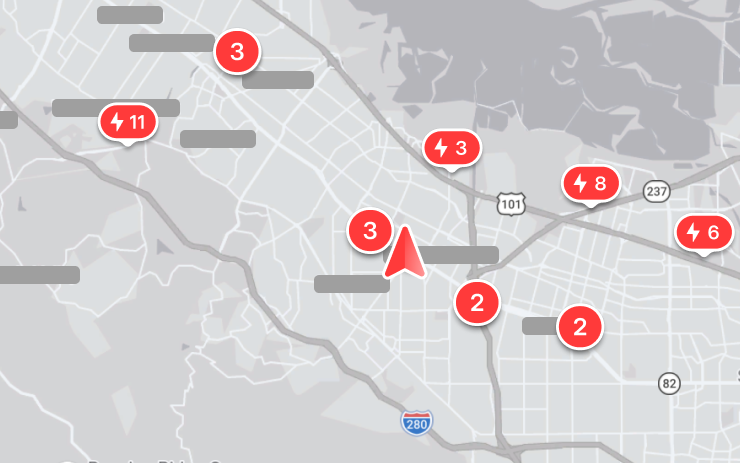
At a normal map zoom, nearby charger markers now group together. Zooming out makes it easier to see which areas the charging network covers.
FSD (Supervised) v14.3 Lite
New Feature
for Model X (Refresh) (AI3)
North America
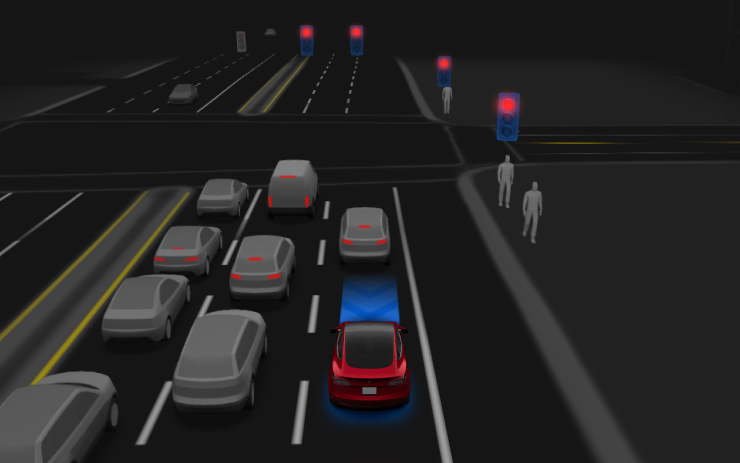
The AI3 driving model uses the AI4 model as a training guide, bringing over methods such as reinforcement learning. The notes describe more responsive handling of merges, forks, pedestrians, signals, and vehicles that cut in. They also describe steadier lane centering, smoother steering, and fewer unnecessary slowdowns.
The system can park, unpark, and reverse. Drivers can select where the vehicle should stop at a destination and switch between Speed Profiles during supervised driving.
Full Self-Driving (Supervised)
New Feature
for Model X (Refresh) (AI3)
North America
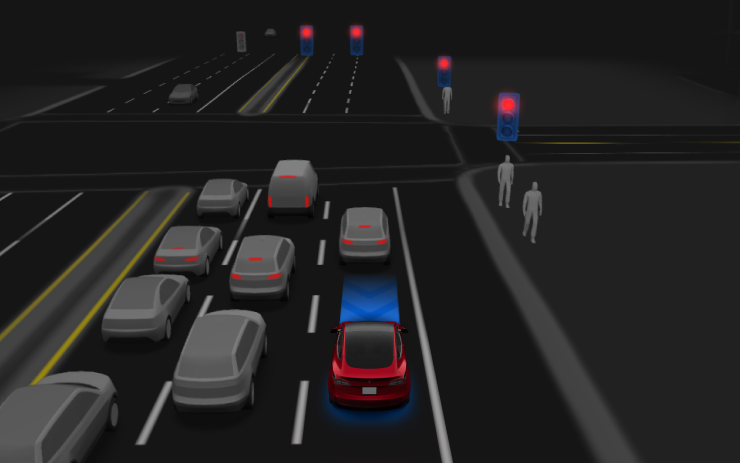
With the driver supervising, the system can depart from Park, follow the navigation route through turns and forks, change lanes, steer around obstacles, and park at the destination. The driver must stay attentive and ready to take over.
The driver can engage it through the Start Self-Driving control or by pressing the right scroll wheel once. Self-Driving Settings include the option to turn it off.
Security Improvements
New Feature
for Model X (Refresh) (AI3) and Model 3 (AI4)
United States / Germany

Tesla lists security fixes and improvements for the covered configurations. The release notes give no details about individual fixes.
Speed Profiles
New Feature
for Model X (Refresh) (AI3)
North America
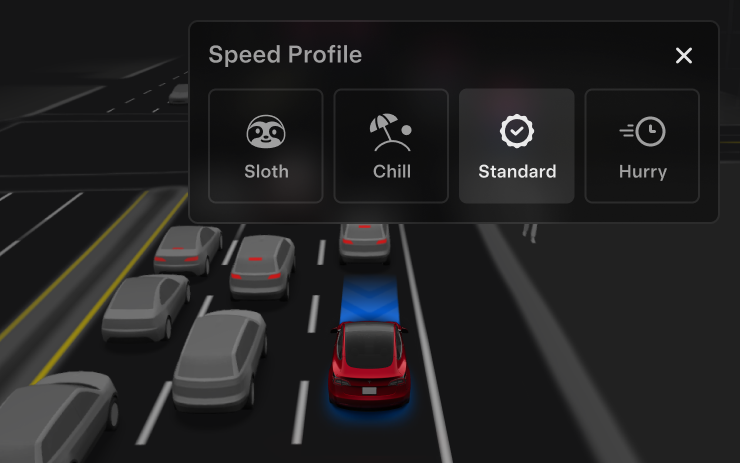
The selected profile, traffic, and speed limit influence the speed the system chooses. SLOTH favors a lower speed and more conservative lane choices than CHILL. A more assertive profile can raise the maximum speed, and the right scroll wheel changes the profile.
Start Self-Driving from Park
New Feature
for Model X (Refresh) (AI3)
North America
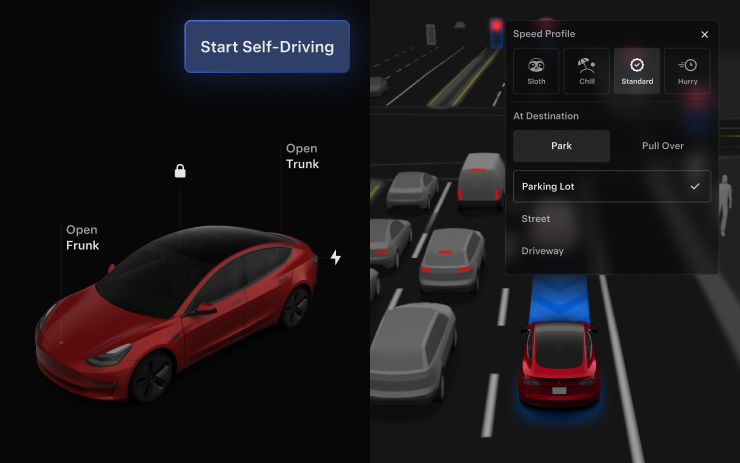
The start control can appear when the system detects a seated, buckled driver and an unobstructed cabin camera, among other checks. With Brake Confirm enabled, the driver must press and release the brake. When it is disabled, selecting Start can let the system apply the brakes to engage. The car can still ask for pedal confirmation if it cannot confirm that a driver is present.
Brake Confirm is available in the Self-Driving settings. An authorized, licensed driver must stay attentive and ready to take over.
UI Improvements
New Feature
for Model X (Refresh) (AI3)
North America
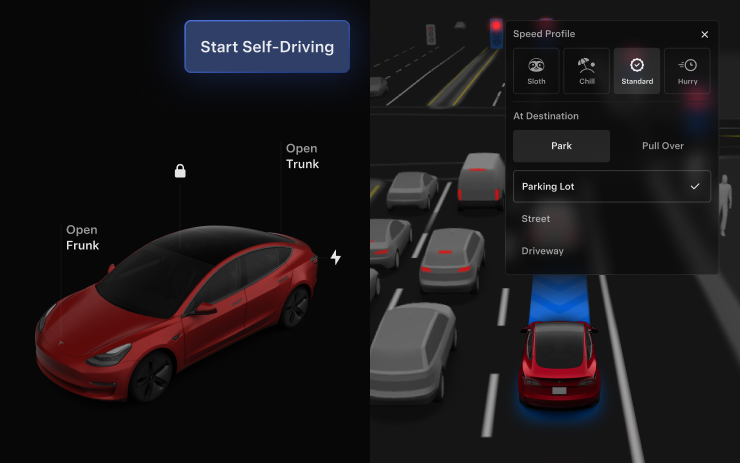
Drivers can adjust their Speed Profile and Arrival Options directly in the Self-Driving visualization on the center display.
