

Tesla software update 2026.27.6.15 was listed on October 5, 2026, adding another build to the 2026.27.6 family. This update now has official release notes covering FSD (Supervised) v14.2.2.5, Speed Profiles, UI Improvements, and Full Self-Driving (Supervised). All four entries list newer Model S and Model X vehicles equipped with HW4. These confirmed requirements replace the earlier uncertainty about which vehicles and supervised-driving package belonged to this release.
The v14.2.2.5 description emphasizes more flexible destination handling and responses to changing roads. Arrival Options let the driver choose parking or a curbside stop, while navigation and routing are incorporated into the vision-based neural network to handle blocked roads and detours in real time. Gate handling and movement around debris such as tires, branches, and boxes are also addressed.
Other driving refinements cover unprotected turns, lane changes, vehicles entering the lane, and school buses. The notes describe smoother recovery from system faults or degraded operation, supporting reliability during supervised driving. A new alert can warn about residue on the inside of the windshield that affects the front camera's visibility; affected owners are directed to Service for cleaning.
Speed Profiles provide a broader choice of driving styles. SLOTH uses lower speeds and more conservative lane selection than CHILL, while MAD MAX permits higher speeds and more frequent lane changes than HURRY. The chosen profile has a stronger influence on behavior. Moving the right scroll wheel up or down now changes the profile rather than a precise speed offset, and drivers remain responsible for vehicle speed at all times.
The interface brings these controls into the Self-Driving visualization, where Speed Profiles and Arrival Options can be adjusted directly. A touchscreen control starts supervised driving from Park or during a journey. The separate Full Self-Driving entry describes leaving a parked position, following navigation through turns and lane changes, avoiding objects, and parking, always with an attentive driver ready to intervene.
Further improvements to overall smoothness and parking selection remain on the upcoming list, rather than being confirmed as completed changes. The feature does not make the car autonomous. Below, the illustrated 2026.27.6.15 Release Notes explain the four confirmed entries and their vehicle and hardware requirements.
FSD (Supervised) v14.2.2.5
New Feature
for Model S (New) and X (New)
HW4
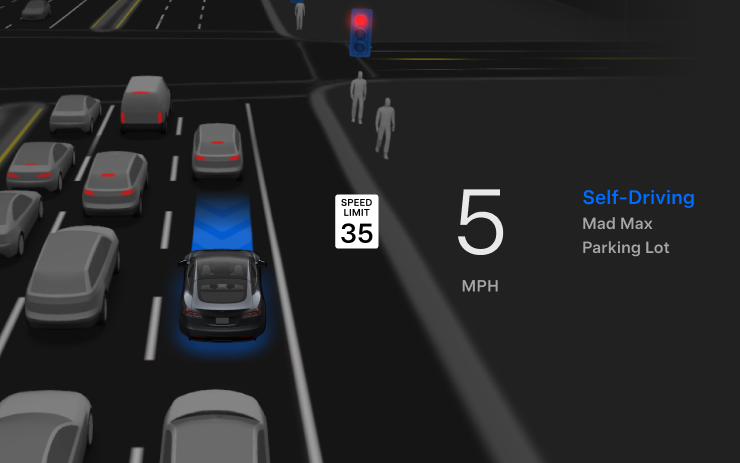
For the listed HW4 Model S and Model X vehicles, Arrival Options let the driver select parking or a curbside stop. The vision-based neural network incorporates navigation and routing to respond to blocked roads and detours in real time. Additional Speed Profile choices provide more control over driving style.
Refinements cover static and moving gates, positioning around debris such as tires, branches, and boxes, and situations involving unprotected turns, lane changes, vehicle cut-ins, and school buses. The system also gains improvements to fault handling and recovery from degraded operation.
An alert can identify residue on the interior windshield that may interfere with the front camera. If affected, visit Service for cleaning. Further improvements to general smoothness, parking-spot selection, and parking quality remain described as upcoming work.
Speed Profiles
New Feature
for Model S (New) and X (New)
HW4
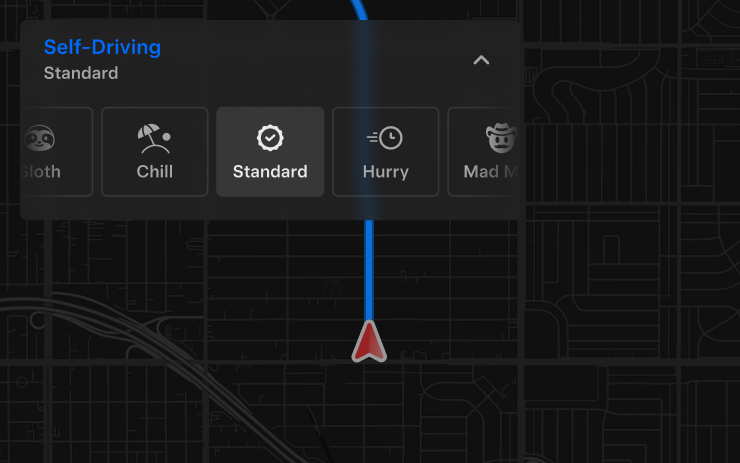
FSD selects speed using the chosen driver profile, speed limits, and surrounding traffic. Its selected speed can differ from the posted limit, and the driver remains responsible for speed control. SLOTH favors lower speeds and more conservative lane choices than CHILL; MAD MAX permits higher speeds and more frequent lane changes than HURRY.
More assertive profiles have a greater effect on behavior and allow a higher maximum speed. Moving the right scroll wheel up or down changes the Speed Profile instead of adjusting a precise speed offset in mph or km/h.
UI Improvements
New Feature
for Model S (New) and X (New)
HW4
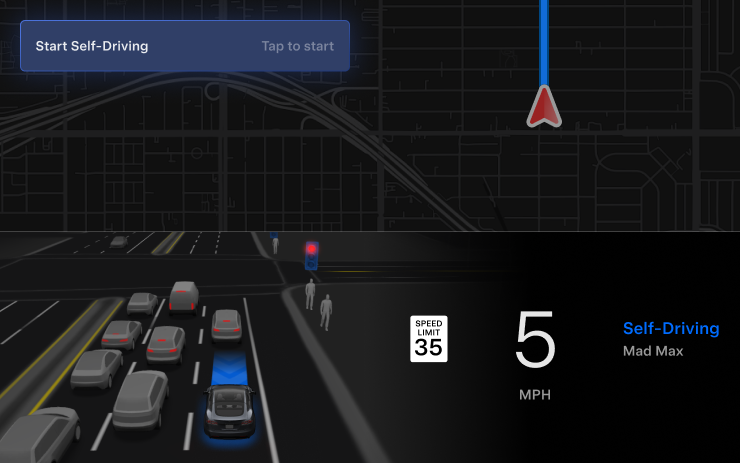
Start supervised driving with a touchscreen tap from Park or during a journey. Speed Profiles and Arrival Options can be changed directly from the Self-Driving visualization on the center display.
Full Self-Driving (Supervised)
New Feature
for Model S (New) and X (New)
HW4
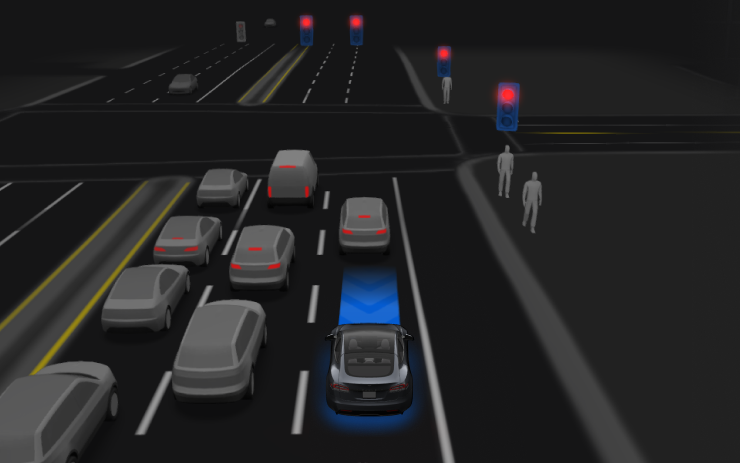
With continuous driver supervision, FSD can leave a parked position, follow navigation through lane changes and forks, maneuver around vehicles and objects, make turns, and park at the destination. It does not provide autonomous operation. Every authorized driver must remain attentive, exercise caution, and be ready to take over.
Use the Start Self-Driving control on the display or press the right scroll-wheel button once to activate the feature. It can be disabled in Self-Driving Settings.
